
Creating your CV
A CV is a one or two page document which shows your skills, achievements, qualifications and experience. CVs vary from country to country, but the information here is to help you make a conventional UK CV. The American English term for CV is ‘resume’, so you may also hear this mentioned. Your CV gives an overview of who you are and what you have to offer an employer.
Getting started
If you've not created a CV before, the Build My Career CV Builder is designed to help you, using a step by step approach with advice and information for each section. You can then download this as a word document and make further amendments as required, using the information and advice below as a guide.
Why do I need a CV?
- CVs are often requested as part of the application process.
- You will need one if you are making speculative enquiries to organisations to find out if there are any potential opportunities for you.
- Recruitment agencies usually ask for a CV.
- Uploading your CV to jobs websites can make it easier for recruiters to find you and get in touch with opportunities.
- We recommend offering a copy of your CV to employers attending our careers fairs, so make sure you bring plenty of copies with you.
Types of CV
There are a variety of CVs used in the UK today, so do your research (or ask us!) to make sure the format you choose is appropriate for the type of job you are applying for, the organisation’s culture, your experience and how you wish to sell yourself to the employer.
Types of CV include:
-
Chronological: details your education and work history in reverse date order.
-
Skills-based: emphasises the skills you have developed throughout your employment, education, voluntary activities, etc. The details about your employment and education are usually kept to a minimum, with the focus being a larger skills section detailing your transferable skills. Evidence and examples should be included to back these up.
-
Hybrid: these CVs combine the above two styles. They feature a more detailed employment and education section, as well as a skills section with evidence and examples.
-
Academic: most commonly used in postgraduate applications for research based or lecturing positions. This format places greater emphasis on the subjects you have studied, projects or dissertations undertaken and areas of academic interest and research. Post-doctoral CVs also need to include a summary of research expertise together with a list of publications and conferences attended (if applicable). Find out more, including example CVs on the Vitae website.
-
Infographic and Video CVs: in creative industries, an unusual approach can help your application stand out from the crowd. This could be in the form of an infographic CV, using graphic design to present your skills and experience in an interesting way, or a video or animated / interactive CV to show off your skills. However, for traditional and non-creative roles, a quirky CV may single you out for the wrong reasons and harm your application, so try and gauge your audience beforehand.
CV guideline
A template CV to demonstrate how to layout your skills and experience
If you require this information in an alternative format, please contact our team. You can also read our Website Accessibility Statement.
What to include in your CV
Firstly, have a look at our CV guideline template above. It will give you an idea of what information you should put where, and how a professional CV should look.
There is no rule about what you must include in your CV, but the following points are typically what you need to include in all types of CV:
Personal details
Do include: your name, address, telephone number, current and most reliable email address. You could also add your LinkedIn account or other social media links if appropriate.
Don't include: a photo, your date of birth, gender, ethnicity, marital status, national insurance number or religion in a UK CV.
Personal Profile
Not essential, but if you do decide to use one, make sure it adds value to your CV - don’t just use generic buzzwords. Focus on the role applied for and include personal qualities, experience and skills.
These are useful in academic CVs as they can be helpful for highlighting the area of research you want to enter.
Can also be useful in explaining a change of direction in your studies or career if you have a varied work or educational history.
Keep it simple and think about these three key things: 1) Who you are; 2) Your skills and highlights; 3) What you’re looking for.
Education and Qualifications
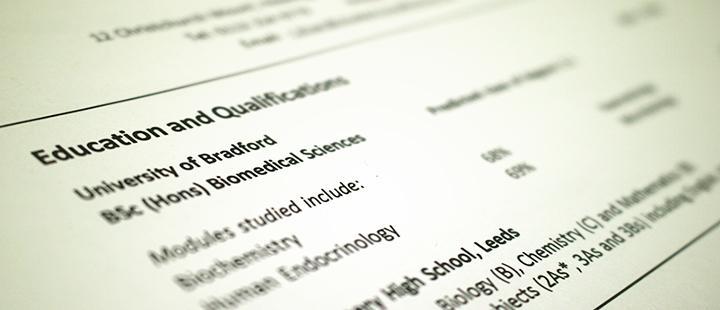
Start with university (this is most important so should be given prominence) - include relevant modules and grades; perhaps your dissertation title. If you have not yet graduated, you can give your predicted or expected degree results, e.g. BSc (Hons) Computer Science – expected 2:1. If you have lots of additional qualifications, such as ECDL, PRINCE2, COSHH, Health & Safety, you can include them here or create a separate Additional Qualifications section.
Work backwards starting with the most recent adding the name of your high school and dates for A- Levels, GCSEs and equivalents. You don't have to write the full address of each institution - the city or town will do if it's not obvious from the institution name. Keep it concise - a sentence to cover your subjects and grades is fine.
For overseas qualifications you should indicate the UK equivalence.
Employment History or Work Experience
Give the name of the business where you worked, your job title and the dates of your employment in reverse date order. Underneath this, detail your responsibilities, duties and skills developed.
You can include any voluntary experience in this section or list it separately if appropriate.
If you have a lot of work experience, you may want to divide this into Relevant Employment Experience and Other Employment Experience sections.
- Watch a quick video on Build My Career for more (student Build My Career link / graduate Build My Career link).
Technical skills
List the skills and knowledge which is specific to the job you are applying for, such as laboratory skills: “I have an excellent knowledge of laboratory techniques including protein analysis, handling human samples, analysis of vitamin C content by titration...”
Think about your experiences academically and through any placements and work experience where you have gained the ability to carry out the required tasks of the role.
These could alternatively be included within Education or Employment History, but don’t repeat information.
Transferrable skills
Match the skills you add to your CV to the job description, rather than producing a generic list.
Provide information about how you gained each skill, such as “My verbal presentation skills have been developed to an excellent standard as a result of delivering weekly seminar presentations to groups of 20+ as part of my degree”.
Try to avoid duplicating information shown elsewhere on your CV.
If you also have Additional Skills such as IT, Languages, First Aid, Driving Licence, etc. you can list them here or in a separate section as appropriate.
Interests, responsibilities and achievements
This is optional, but many employers value it as it can indicate a range of skills and qualities such as teamwork, responsibility and trustworthiness as well as your passions and interests.
Are there any of your personal interests that reflect the job? For example, if you are involved in gaming tournaments and applying for video game design roles, or you volunteer for a cause which has a similar ethos to the organisation you are applying to.
Be specific about your activities - “Football” doesn’t say much, but “Football: Captain of Shearbridge Tornadoes five-a-side team, organised and coordinated fixtures and was responsible for team budget” gives recruiters a much fuller picture and includes extra skills; think about how often you do the activity and the level you have reached.
Include any positions of responsibility you have held, such as equipment officer for the archery team, or social secretary of the pharmacy society, etc.
References
You can state “references available on request”, but it is acceptable to leave off the references section altogether as they are not generally required at this stage of the recruitment process. You should however include two referees on undergraduate placement CVs.
If your application progresses you will be expected to provide references (usually two), so think about who you could ask as referees and make sure they are happy to provide you with a reference.
Presenting and submitting your CV
Formatting your CV - 10 top tips
- Two-page CVs are the standard for graduate and internship opportunities, but one page is acceptable for part-time work (longer CVs may be acceptable for academic positions, particularly if you have lots of publications and conferences to list).
- Use a clearly legible font, e.g. Arial, Calibri, Candara or Gill Sans no smaller than size 11.
- Bullet points: with short concise sentences, each piece of information has the same value and the same chance of being read; key information may be missed in long paragraphs.
- Effective formatting: if all your text is the same style it can look bland and unappealing, but the use of bold, italics and underlining can break up text and highlight important details.
- Clear sub-headings: make things easy to find by clearly labelling them. In your skills section, name the skill first so the reader’s eye is drawn to it, e.g. “Communication: developed active listening and clear communication skills helping a diverse range of customers at Tesco.”
- Be consistent throughout, with clear dates and locations and all indentations, bullet points, etc. all lined up perfectly.
- Think carefully about the use of colour – formatting for black and white is the best option when it comes to reproducing your CV.
- Order your sections so that your relevant skills and experience are prominent, ideally on the first page, to highlight your suitability for the role. Try not split sections over the page break.
- Think about applicant tracking systems (ATS) - the majority of online CV submissions will be scanned by a programme first, so keep your formatting simple (don’t use boxes, tables or graphics) and include key words relevant to the job to increase your chance of selection (see more in FAQs, below).
- Check spelling and grammar: mistakes can cause your application to be rejected.
Submitting your CV
Always send a covering letter together with your CV, make sure you have read the submission guidelines and you are sending it how the recruiter wants it.
By email
- When emailing, add your covering letter and CV as attachments, rather than typing the covering letter in the email itself, to ensure both are formatted correctly and are professional looking.
- Keep the email formal, professional and concise when applying for a job. Always follow the employer’s instructions and quote any references they require. You also will need to say that your CV and covering letter are attached.
- Think about your email address - it is best to use a professional sounding one rather than a personal address.
By post
-
If sending your CV by post, use good quality white or cream paper, and a high-resolution printer for a professional finish.
-
Post early to ensure you meet the closing date.
Example email for submitting your CV
To: mrjohnson@azsolutions.co.uk
Subject: CV and covering letter for the post of Graduate Data Analyst, reference 112/A
Dear Mr Johnson,
Please find attached my CV and covering letter to apply for the position of Graduate Data Analyst. I would be grateful if you could confirm receipt of this application by return email.
If you have any queries please do not hesitate to contact me.
Yours sincerely,
Maria Khan
07888 123456
Frequently asked questions about CVs
What are applicant tracking systems and do I need to change my CV for them?
The majority of online CV submissions will be scanned by a Applicant Tracking System (ATS) programme first, so understanding how they work will mean your CV has a better chance of scoring enough to pass to the next stage, where your CV will be read by a (human) recruiter.
Don't worry though, if you follow the advice on this page and are tailoring your CV for each application, then you should already be doing most of the right things:
- Use keywords - reflect the language of the job description to describe your skills and tasks in previous roles - the software will be looking for these key words and phrases to assess your relevance to the role.
- Don't use photos, graphics or tables - the ATS scan may miss valuable information if it can't read the format as plain text.
- Keep formatting simple - bullet points are ok, and keep to a maximum of two fonts. Word documents are preferable but simple PDFs are ok - to give you an idea of whether it is readable try copying and pasting from your PDF into Word or Notepad to see if there are any pasting errors.
- Don't try and trick the system - hiding information as white text doesn't work as it is more likely to confuse the ATS, and as with any application, exaggerations and lies will be found out eventually.
Watch this video on Build My Career about structuring your CV with ATS in mind: Student link / Graduate link
There's also more information about the best way to set up your files: Student link / Graduate link
Do I have to produce a new CV for every application?
Yes. If a CV is targeted to the job and organisation, you will significantly increase your chances of getting shortlisted for interview. This doesn't mean you have to start from the beginning every time however, you can have a generic CV which you can use as a basis for each application that you can adapt to match your skills and experience with those on the job description.
Will my CV be read?
In the current job market, employers receive a lot of CVs. Recent surveys suggest that employers may only give a CV an initial 7-to-10 second glance before deciding if they want to read it in more detail or discard it. Although this sounds worrying, if you make sure that your CV is clearly laid out and you demonstrate valuable skills, the employer will want to read it more carefully.
Should I embellish the truth to make my CV stand out?
Definitely not. Any lies on your CV are likely to be found out, which is likely to lead to your dismissal if you get the job. Whether you are offered a job or not, if you are found guilty of making a fraudulent job application you may be placed on the CIFAS Internal Fraud database for six years, which would seriously damage your chances of finding work- see this Graduate Application Fraud Leaflet for the full details.
How should I lay out my CV?
Make sure you read this page for all our hints and tips, but an important point to remember is to place key information at the top of each page to have the most impact, and always start a page with a new section; it is good practice to start and finish individual sections on the same page.
Should I include a photo?
There is no need to include a photo, or your date of birth, gender, ethnicity, marital status, or religion in a UK CV.
Also, do not include a National Insurance number to avoid any online identity theft.
Can I split up my employment history into relevant experience and other work, such as part-time jobs?
Yes- you may want to divide your employment or work experience into sections, such as Relevant Employment Experience, Other Employment Experience, or Voluntary Experience depending on what you have to offer. Alternatively, you may want to create a specific section on its own e.g. Industrial Placement, Intercalation Year, Summer Internship/Summer Experience etc. Think about the role and what the recruiter will want to know about the most.
What about other qualifications?
Do include other relevant qualifications e.g. ECDL, PRINCE2, COSHH, Health & Safety, etc.
If you have overseas qualifications, indicate their UK equivalence.
Is it safe to upload my CV to online jobs boards?
Once you upload a CV, anyone who has registered as an employer on that site will have access to your contact details - are you comfortable with that? If so, check the different privacy settings on each job board and take care to select the options that are most appropriate for you.
Some recruiters have targets for signing up graduates and they ‘harvest’ CVs from websites for contact details; you may receive an email about a graduate job that sounds great but turns out not to exist. If you do post your CV on a jobs board, make sure you thoroughly check opportunities that come from recruiters to make sure they are legitimate.
We would recommend that you sign up with a specialist recruitment agency instead. Recruitment agencies have to be GDPR compliant which means they need your permission to share your contact details with a third party organisation.
Finally, remember you should never include your date of birth or national insurance number on a CV and you can list the area you live in rather than your full address.
Sample CVs
Faculty of Engineering and Informatics
If you require this information in an alternative format, please contact our team. You can also read our Website Accessibility Statement.
Chemical Engineering MEng CV
Example CV for a final year Chemical Engineering MEng student who has undertaken a Summer Experience placement.
If you require this information in an alternative format, please contact our team. You can also read our Website Accessibility Statement.
Civil and Structural Engineering CV
Graduate MEng Civil and Structural Engineering student CV example with details of industrial placement year.
If you require this information in an alternative format, please contact our team. You can also read our Website Accessibility Statement.
Computer Science CV
A two-page CV Computer Science student CV for internships and placements.

If you require this information in an alternative format, please contact our team. You can also read our Website Accessibility Statement.
Computer Science for Games (year 2 for placement)
An example 1-page CV for a second year Computer Science for Games student applying for placement year.
If you require this information in an alternative format, please contact our team. You can also read our Website Accessibility Statement.
Software Engineering BEng CV
Example CV for a Software Engineering BEng recent graduate.
If you require this information in an alternative format, please contact our team. You can also read our Website Accessibility Statement.
Film and TV Production
An example CV for an undergraduate Film and Television Production student

If you require this information in an alternative format, please contact our team. You can also read our Website Accessibility Statement.
Mechanical Engineering MSc CV
An example CV for a final year Master's student in Mechanical Engineering
If you require this information in an alternative format, please contact our team. You can also read our Website Accessibility Statement.
Faculty of Health Studies
Public Health and Community Wellbeing Undergraduate CV
An example CV for a final year Public Health and Community Wellbeing Undergraduate.

If you require this information in an alternative format, please contact our team. You can also read our Website Accessibility Statement.
Faculty of Life Sciences
Optometry sample CV
An example CV for a pre-reg optometry student
If you require this information in an alternative format, please contact our team. You can also read our Website Accessibility Statement.
Biomedical Sciences Graduate CV
An example CV for a recent graduate in Biomedical Science

If you require this information in an alternative format, please contact our team. You can also read our Website Accessibility Statement.
Faculty of Management, Law and Social Sciences
MSc Management Sample CV
Example CV for a recent Management graduate.
If you require this information in an alternative format, please contact our team. You can also read our Website Accessibility Statement.
Business and Management sample CV
Example CV for a recent Business and Management graduate.
If you require this information in an alternative format, please contact our team. You can also read our Website Accessibility Statement.
Law sample CV (2nd year for work experience)
Example CV for a 2nd year LLB Law student applying for a placement.
If you require this information in an alternative format, please contact our team. You can also read our Website Accessibility Statement.
If you require this information in an alternative format, please contact our team. You can also read our Website Accessibility Statement.
Psychology sample CV
An example CV from a Psychology graduate applying for a research assistant role.
If you require this information in an alternative format, please contact our team. You can also read our Website Accessibility Statement.
Social Work sample CV
An example CV for a final year Social Work undergraduate

If you require this information in an alternative format, please contact our team. You can also read our Website Accessibility Statement.
MA Peace Studies sample CV
An example CV for a postgraduate student studying Peace, Resilience and Social Justice
If you require this information in an alternative format, please contact our team. You can also read our Website Accessibility Statement.
Next steps and further information
- Quick queries: For students who haven't had their CV checked before, we offer introductory quick queries appointments for initial feedback on your CV. These are available every weekday throughout the year, from 10am-12pm and 1-3pm.
- Appointments with Careers: Once you have been to a drop in session, one of our Career Consultants can make further suggestions for improvement on the content. Reserve your appointment online now.
- Build My Career: There is a comprehensive section dedicated to CVs on our Build My Career portal, featuring videos, audio clips and other help and advice, including an extremely useful interactive CV builder: student login / graduate login.
- Part-time jobs: There are sample CVs specifically for student jobs on our part-time work page.
- Information Room: We have a wide range of CV and covering letter resources in our Information Room in Student Central, including specialist reference books (such as the Creative CV Guide, You're Hired! How To Write A Brilliant CV) & DVDs (e.g. Cover Letters - The Write Approach).
- Call in and see us and we will help you access the resources you need.
- Workshops: We also regularly run workshops on a wide range of topics including CVs- see the schedule and book your place.